Preheader goes here.
GET TO KNOW YOUR
MX KEYS MINI
Work faster and more precise than ever with your MX Keys Mini.
GETTING STARTED
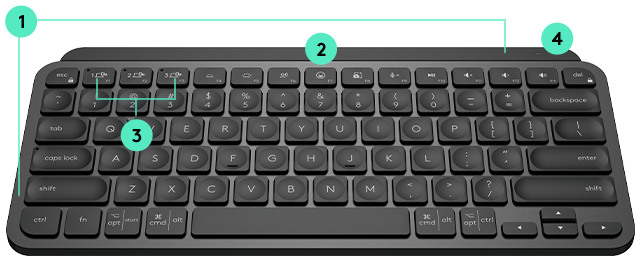
1. PC / MAC LAYOUT
If you are a Windows, Linux and Android user, the special characters will be on the right side of the key, Mac on the left.
2. NEW EMOJI KEY
Use this button to add emojis to your text faster and easier.
3. EASY-SWITCH KEYS
Switch between up to three different computers using the Easy-Switch keys.
4. BATTERY STATUS LED
This light will let you know when your battery life is running low.
CUSTOMIZE YOUR KEYBOARD
Download Logitech Options
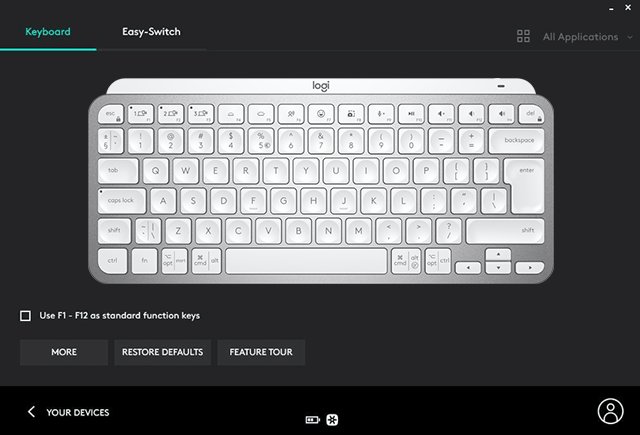
Customize and register your device with Logitech Options and do more than you thought possible.
WINDOWS
macOS
PRO TIP:
SAVE YOUR CUSTOMIZATION
Press and hold the Easy-Switch key for three seconds to assign your MX Keys Mini to your preferred computer, phone or tablet.
HELPFUL RESOURCES
SETUP GUIDE:
YOUR MX KEYS MINI
With detailed interactive instructions, you'll breeze through the setup and get the most out of your new keyboard.
GET STARTED 
 
SIMPLIFY YOUR WORKFLOW
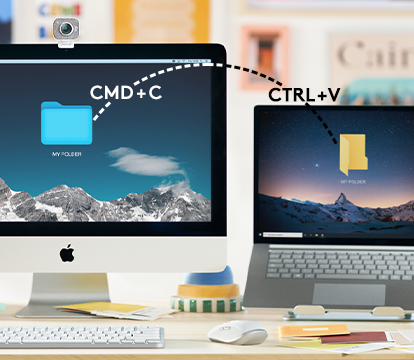
Flow makes transferring text, images, and files effortless – even between Mac & PC. It's as easy as copying on one and pasting on the other.
GET FLOW
HAVE QUESTIONS?
WE'VE GOT ANSWERS
SET-UP GUIDE 
FAQs
CONTACT US
 
Facebook Instagram Twitter Pinterest YouTube
PRIVACY + SECURITY
UNSUBSCRIBE
CONTACT
TERMS OF USE