Preheader goes here.
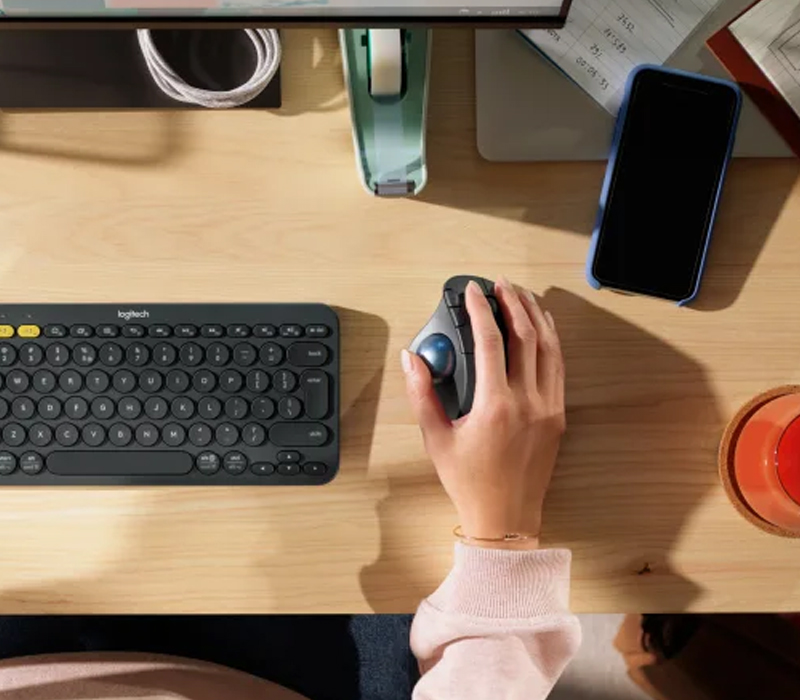
GET THE MOST OUT OF YOUR ERGO M575
Work fast and precise in total comfort throughout your entire day.
GETTING STARTED
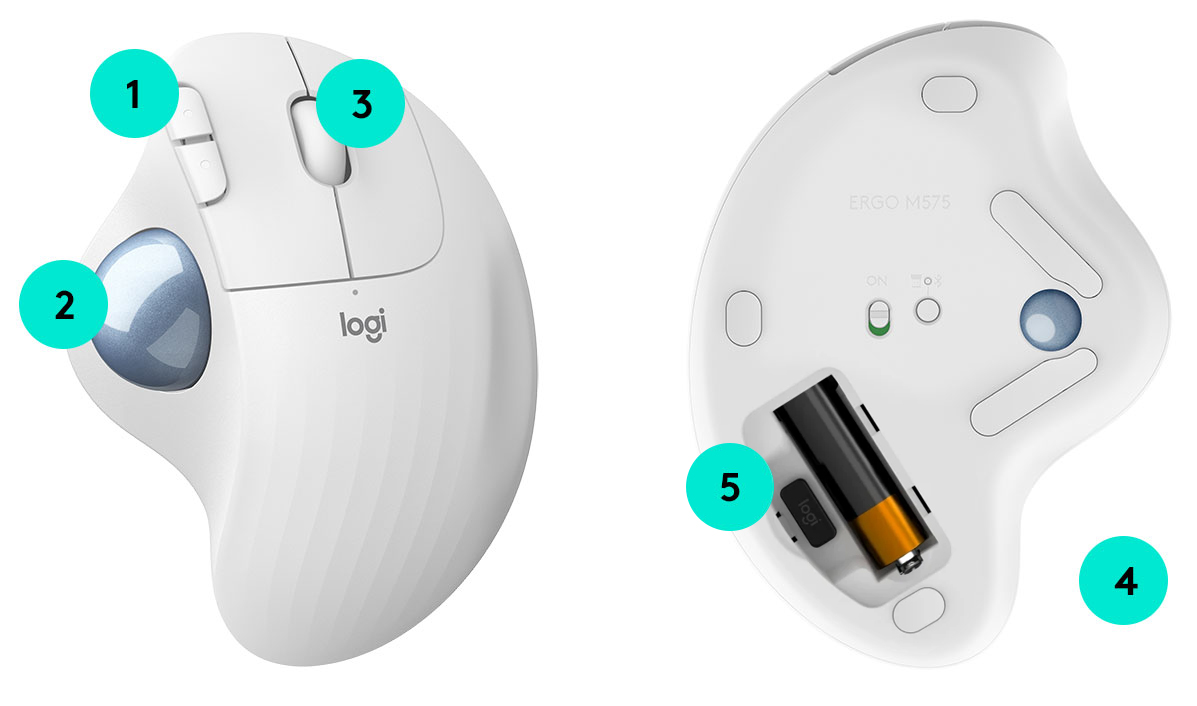
1. Back / Forward buttons
Moving between documents or browsing your favorite websites is a breeze with large, easy-to-reach Back/Forward buttons
2. thumb control
Your thumb will glide across the smooth ball surface with total ease thanks to transparent finish coating.
3. Precision scroll wheel
Precision Scroll Wheel with middle click
4. Dual connectivity
Bluetooth® Low Energy or the included USB receiver
5. Battery
Up to 24 Months with USB Receiver 1
 
PRO TIP:
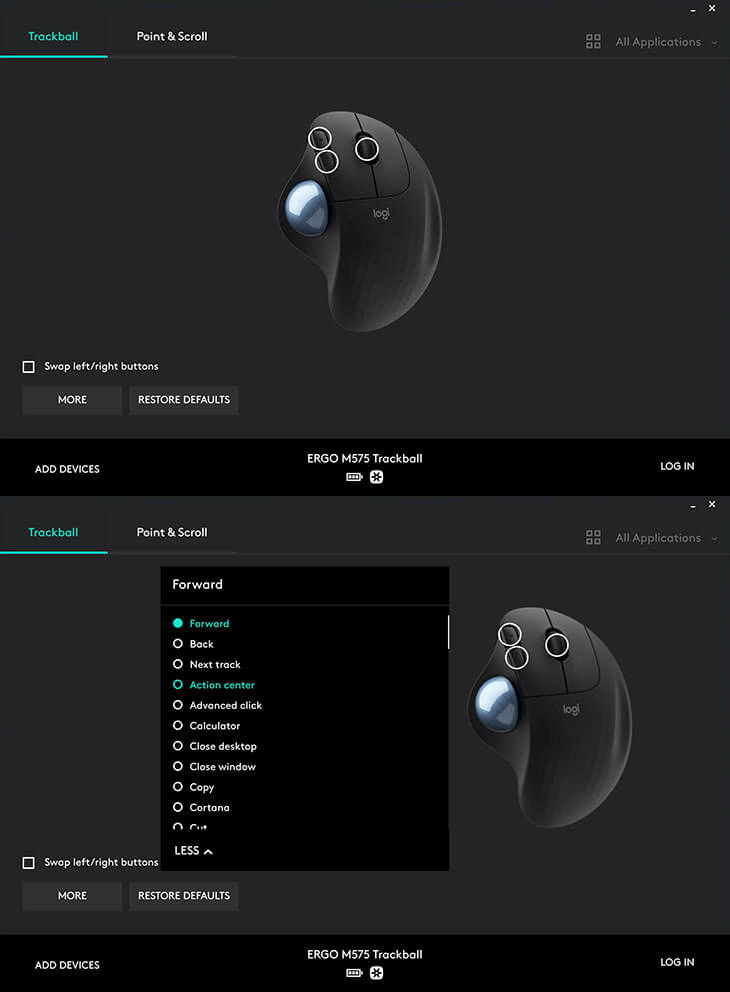
Adjust the cursor speed (DPI) with Logitech Options software to work on precise work such as photo editing.
DOWNLOAD LOGITECH OPTIONS
Customize your trackball
Customize and register your device with Logitech Options and do more than you thought possible.
WINDOWS
macOS
 
PRO TIP:
KEEP IT CLEAN
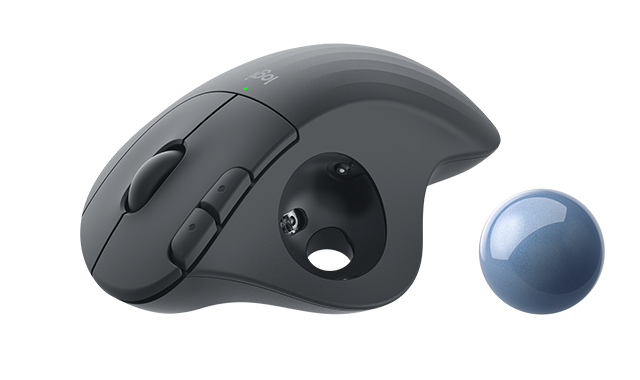
Should you need to clean your trackball, you can easily pop out the ball by pushing a pen through the hole on the underside of the trackball. Use a cotton swab or soft fabric to clean the inside.
HELPFUL RESOURCES
SETUP GUIDE: YOUR ERGO M575
With detailed interactive instructions, you'll breeze through the setup and get the most out of your new trackball.
GET STARTED 
HAVE QUESTIONS?
WE'VE GOT ANSWERS
SET-UP GUIDE 
FAQs
CONTACT US
 
Facebook Instagram Twitter Pinterest YouTube
PRIVACY + SECURITY
UNSUBSCRIBE
CONTACT
TERMS OF USE